Your security is our top priority. To ensure your account and cryptocurrencies are best protected, we use multi-layered security mechanisms. Here you will learn how to secure your account and recognise phishing attempts.
Official Communication Channels & Phishing Protection
Fraudsters often try to impersonate support staff. Please note: BISON will never contact you via WhatsApp or other messenger services.
Official Website:
Social Media:
Official BISON Email Addresses:
Important: We will never ask you for your password, your 2FA code, or to transfer to an unknown wallet address.
CAUTION! If you are contacted from a different email address, we advise you not to reply and to immediately report it to your email provider as spam/phishing. If you discover anything suspicious, feel free to contact our support team via the contact form.
Further information on typical scams can be found in our blog article.
Access Protection through Two-Factor Authentication (2FA)
The most important protection for your account is two-factor authentication. Without access to your password and your smartphone, logging in from an unknown device is not possible.
Everything you need to know about setup, device change, and troubleshooting SMS TAN delivery can be found here: Two-Factor Authentication (2FA) & Device Recognition
Protection for Withdrawals: Security Release & Trusted Devices
To protect crypto withdrawals from unauthorised access, we use a special release system.
Trusted Device: Only a smartphone or tablet with the BISON App explicitly authorised by you can authorise crypto withdrawals.
-
Add a Trusted Device: Account ➞ Security ➞ Trusted Devices ➞ Trust Device
Security Release: For cryptocurrency withdrawals via the web application or from new devices (not registered as trusted), you must first start a 20-minute security release on your trusted device.
Instructions: Mark Device as Trusted
▶ A trusted device already exists
- Log in to the BISON App from your new device
- Then open the BISON App on your trusted device
-
Go to "Account" -> "Security"
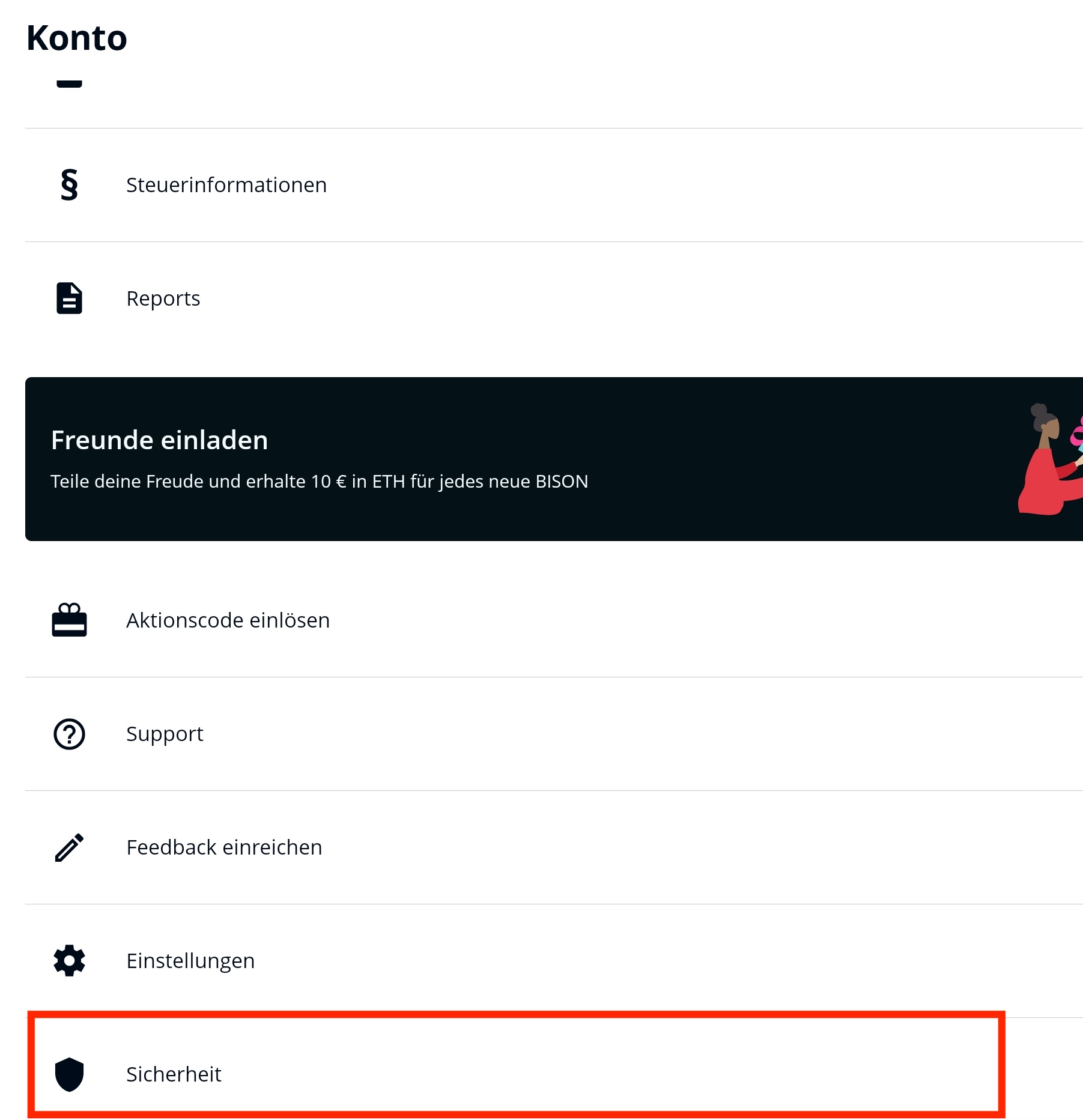
-
Select "Linked Devices"
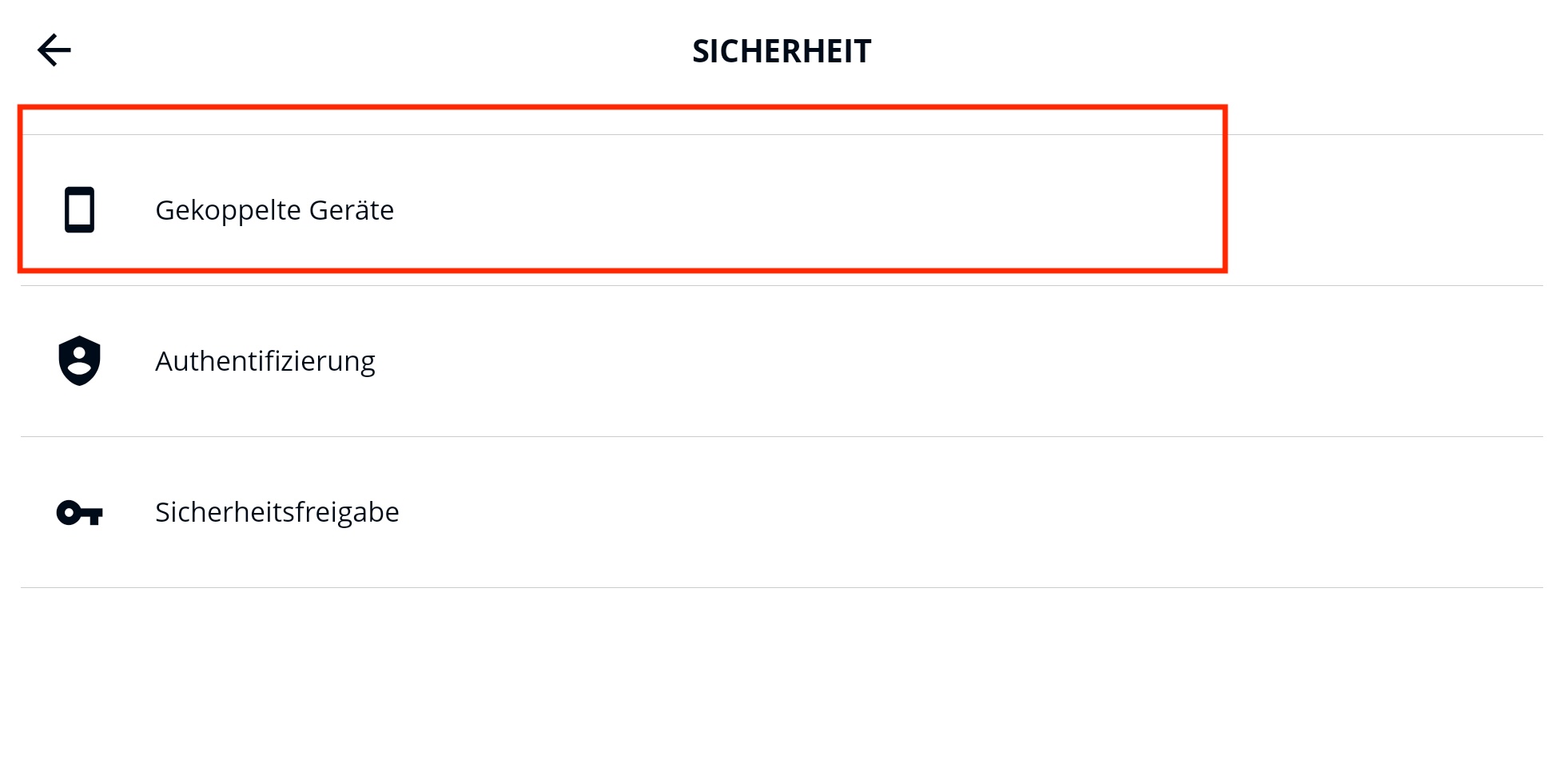
-
Select the new device here and choose "Trust Device"
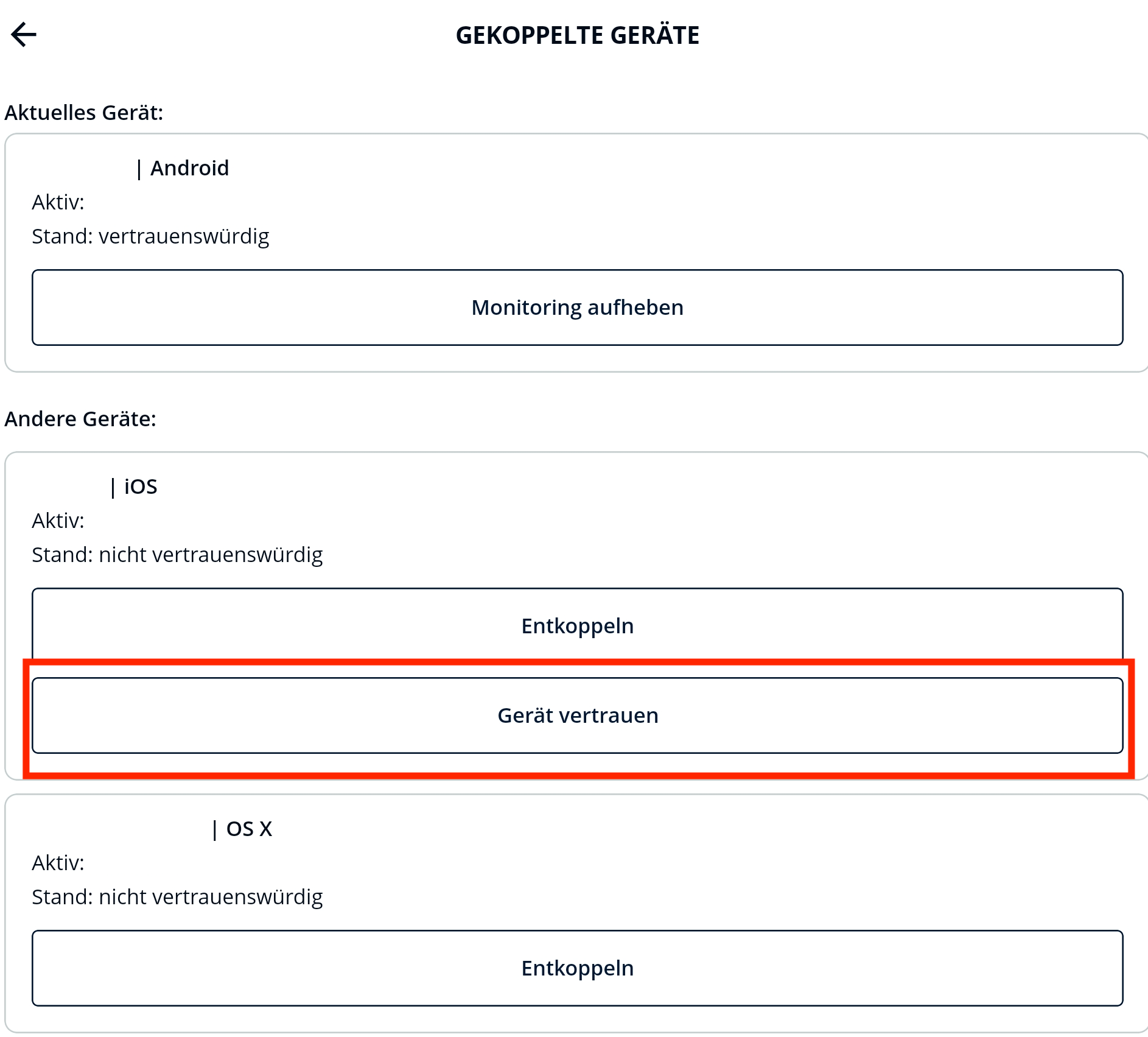
▶ The trusted device is no longer available
- Log in from your new, untrusted device
- Go to "Account" -> "Security"
-
Select "Reset Trusted Devices" and then "Continue"
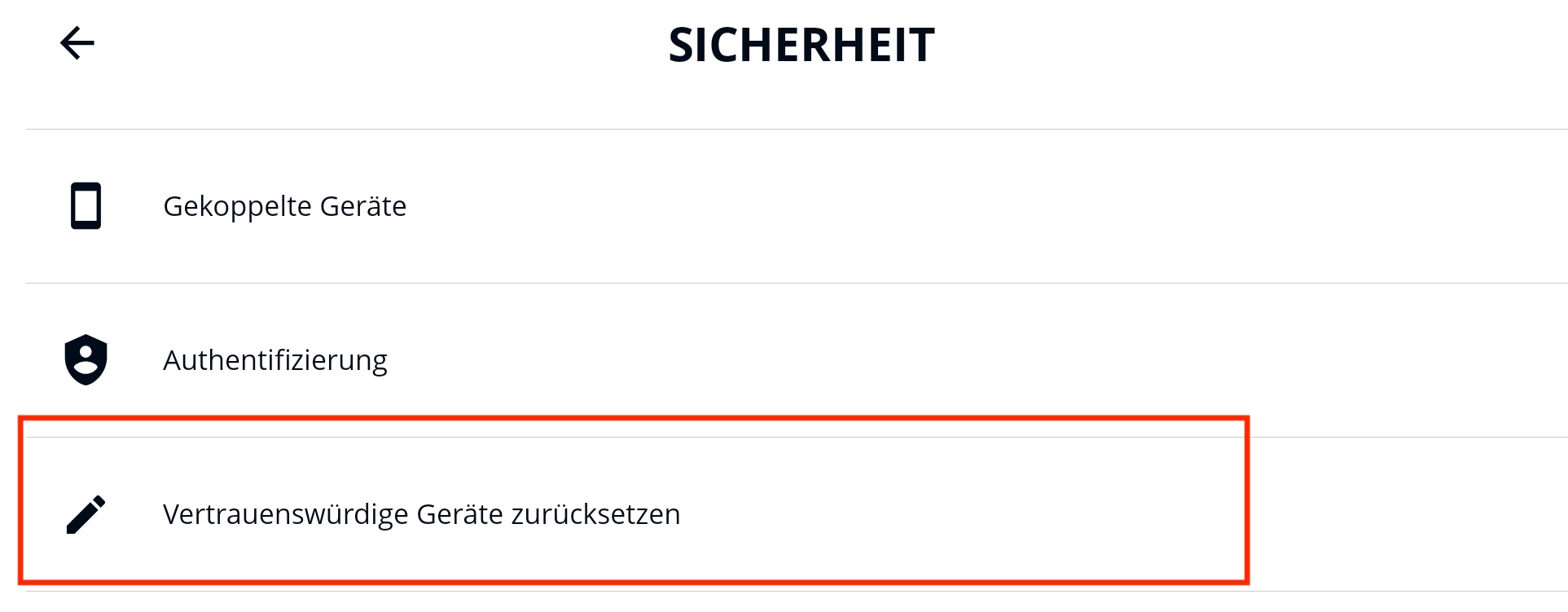
- The 2FA process will be triggered
- After entering the 2FA SMS code, your new device will be registered as trusted
Please note: All your previously trusted devices will be reset to "untrusted".
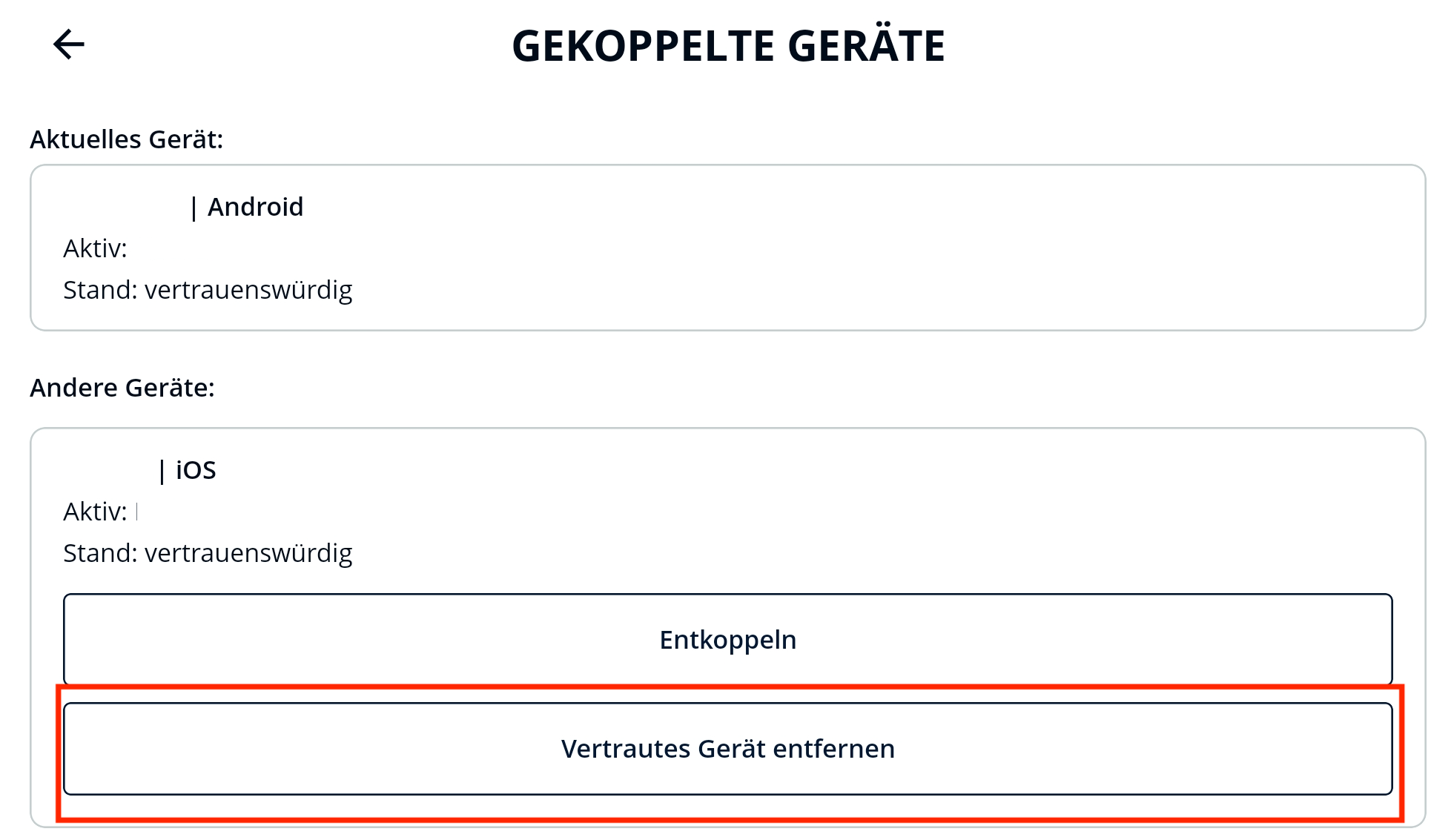
▶ Delete Trusted Device
- Open the BISON App on your trusted device
- Go to "Account" -> "Security"
- Select "Linked Devices"
-
Select the device to be deleted here and click "Remove Trusted Device"
Instructions - Start Security Release
▶ Step-by-step guide for Security Release
- Open the BISON App on your trusted device
-
Go to "Account" -> "Security"
-
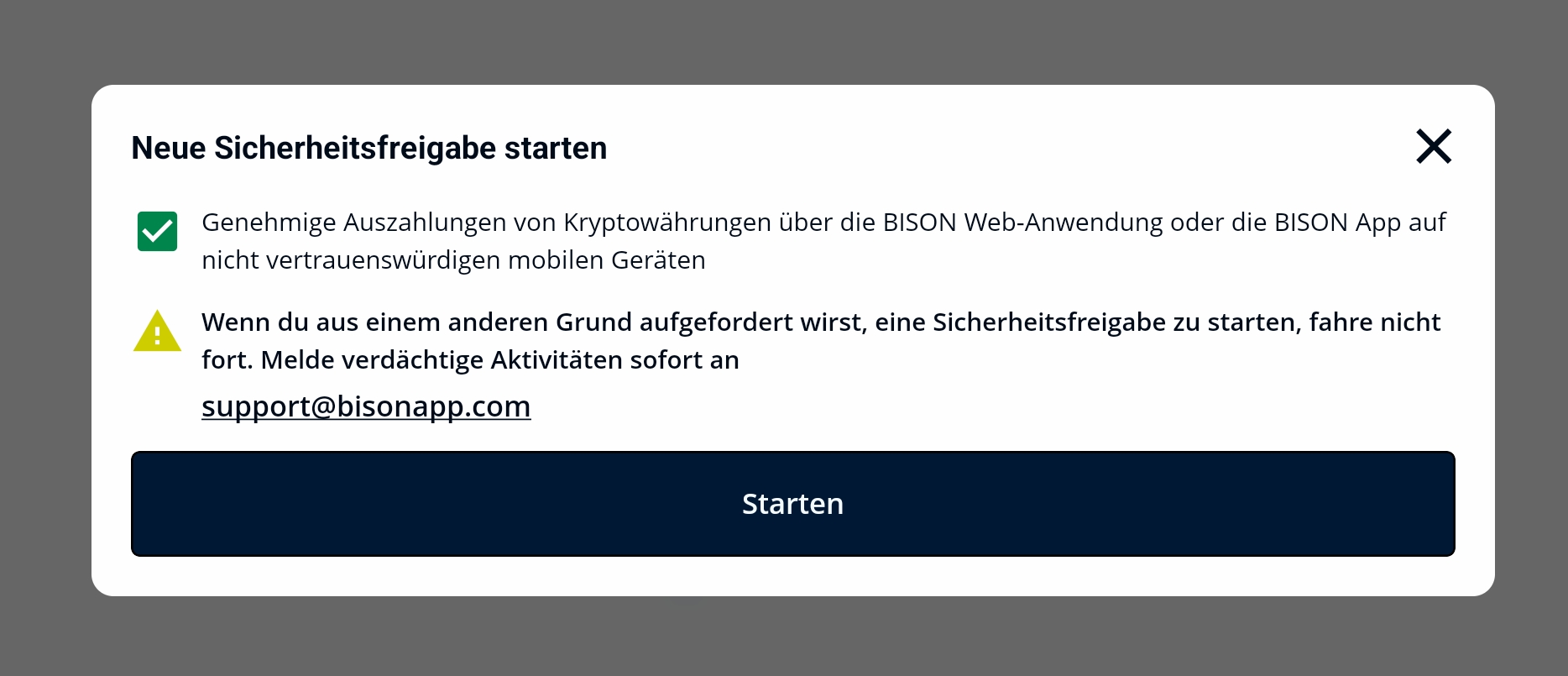
Select "Security Release" and then click on "Start Security Release"
-
Confirm the prompt with "Start"
-
Your security release is now active for 20 minutes
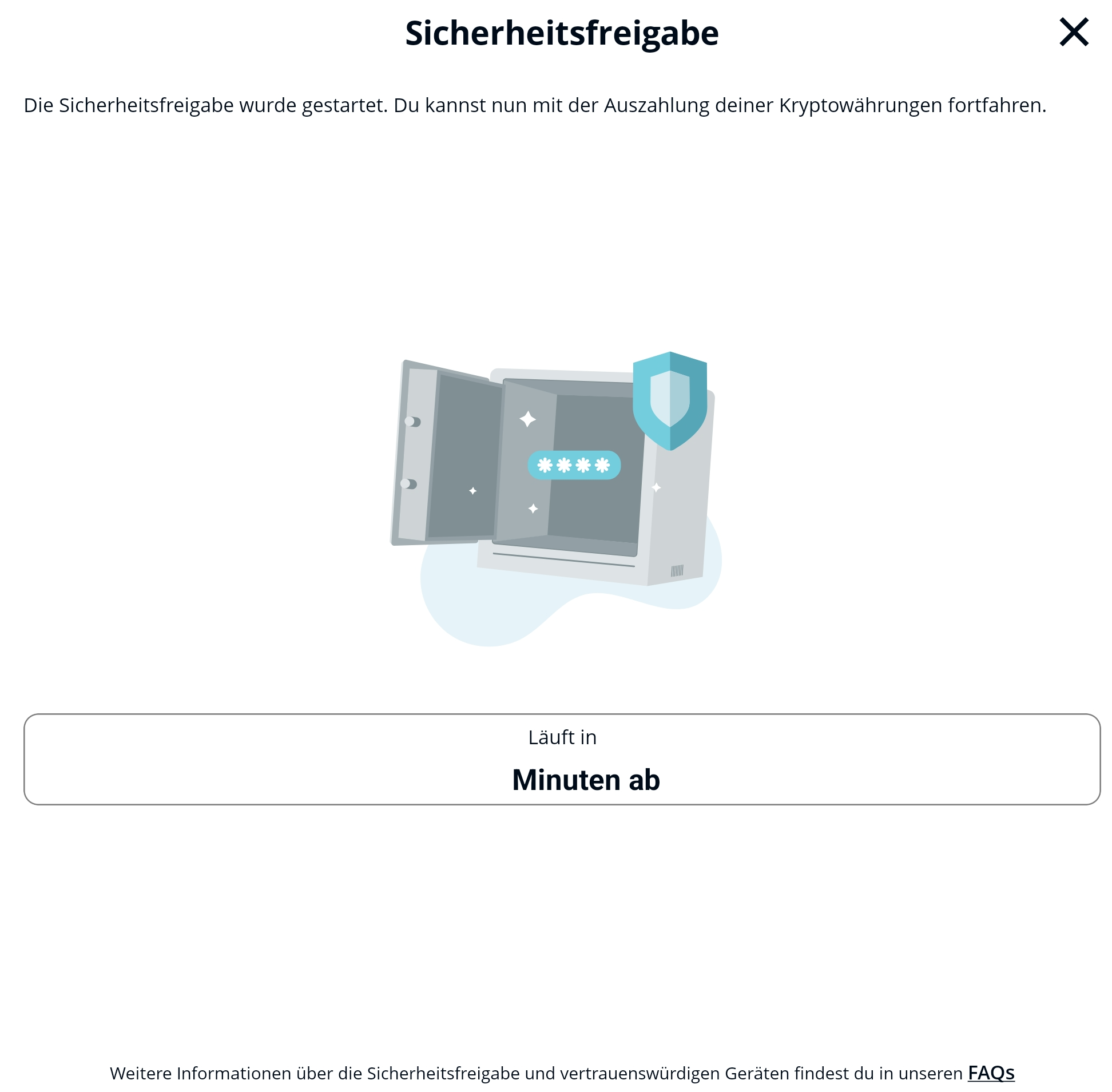
Note: End the security release by clicking "End Security Release" as soon as you have completed the crypto withdrawals.
Data Protection & Legal Security
We handle your data according to the EU GDPR and the Federal Data Protection Act and work only with regulated partners such as Boerse Stuttgart Digital Custody GmbH or Solaris SE. Third parties as data processors are used to provide services; in cases of official investigations or suspicions of money laundering, we cooperate with the authorities.
Details about our data protection can be found in our privacy policy.
Problems or Questions?
If you have questions about your trusted devices or the security release, please contact BISON Support directly via the contact form.
If you discover anything suspicious, please feel free to contact our support team via this contact form.